The problem
Primary school teachers spend hours writing exercises that match the curriculum and marking exam papers by hand. Feedback to each pupil comes late and stays generic.
What we built
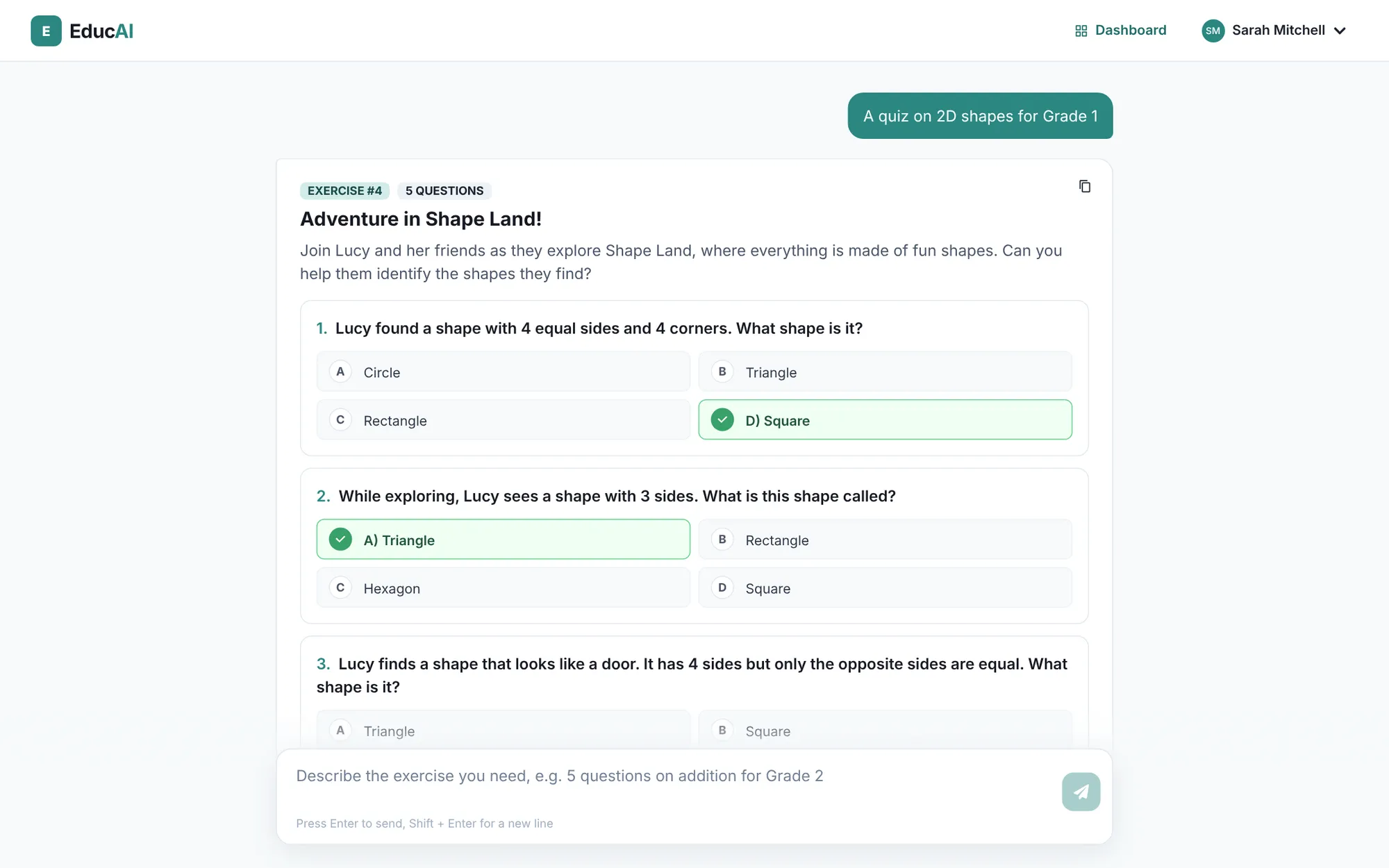
- A teacher asks in a chat for the exercise they need (topic, level, number of questions). Using a large language model (LLM, the technology behind ChatGPT), EducAI writes a multiple-choice quiz that follows the curriculum, with a worked answer behind every question so the answer key is easy to check, and saves it.
- The curriculum is a PDF (the bundled one or the teacher’s own). EducAI searches it for the passages that match each request (retrieval-augmented generation), so exercises follow the right programme.
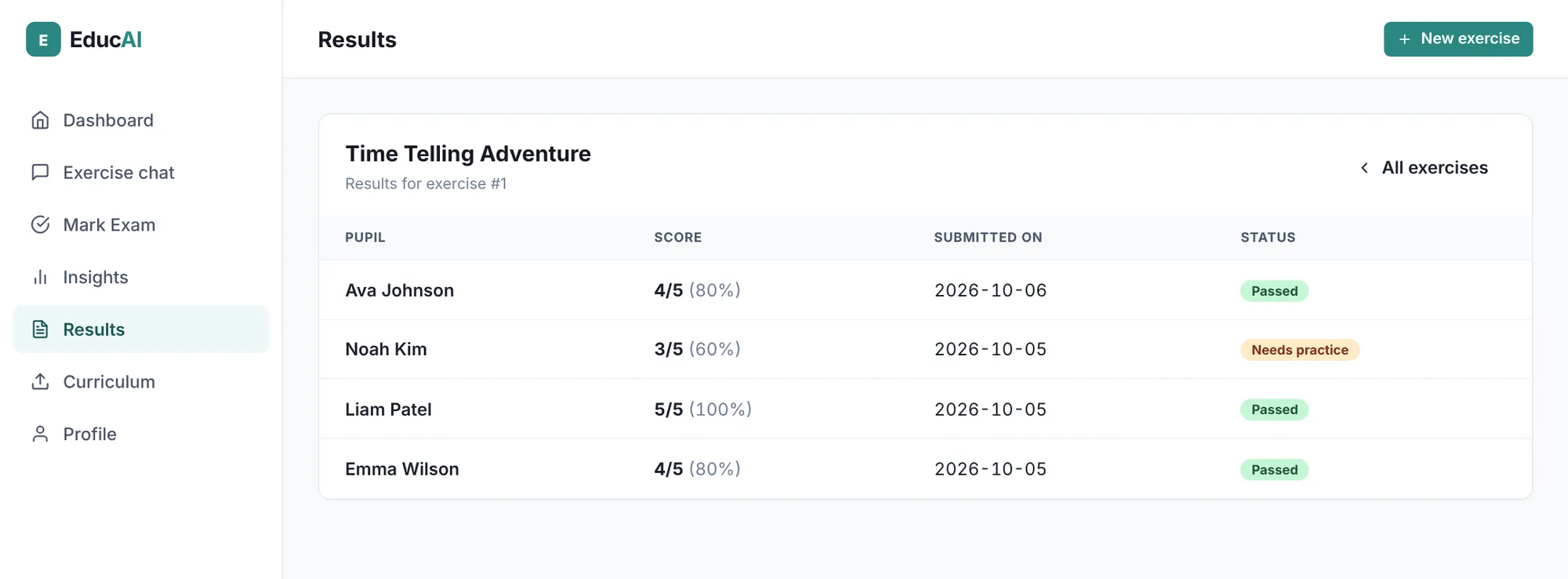
- Pupils’ answer sheets come in as typed PDFs, with one letter per question (reading handwriting was left for a later version). EducAI reads each sheet, turns it into structured answers and marks every question against the answer key. The teacher can change any mark before validating.
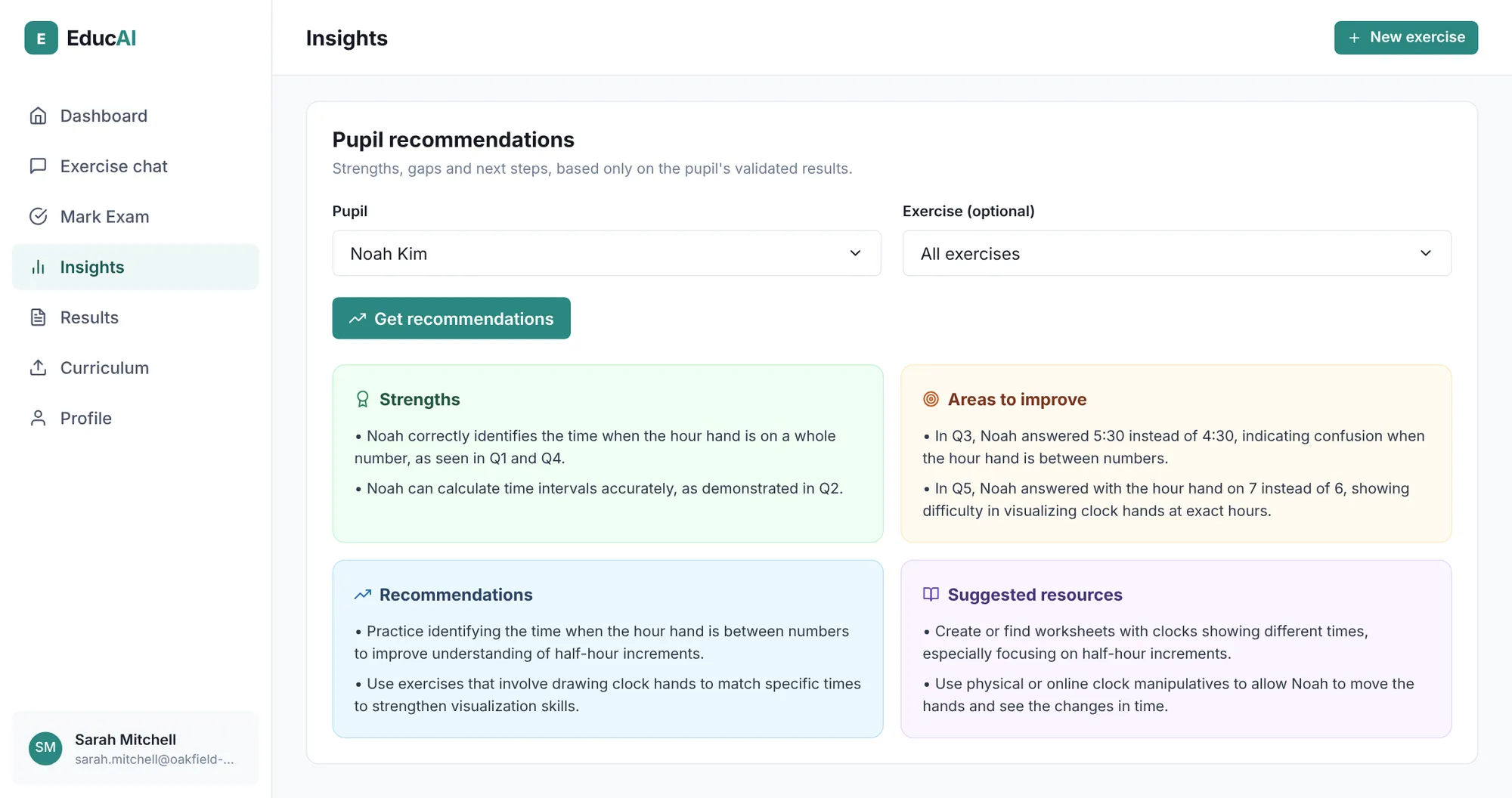
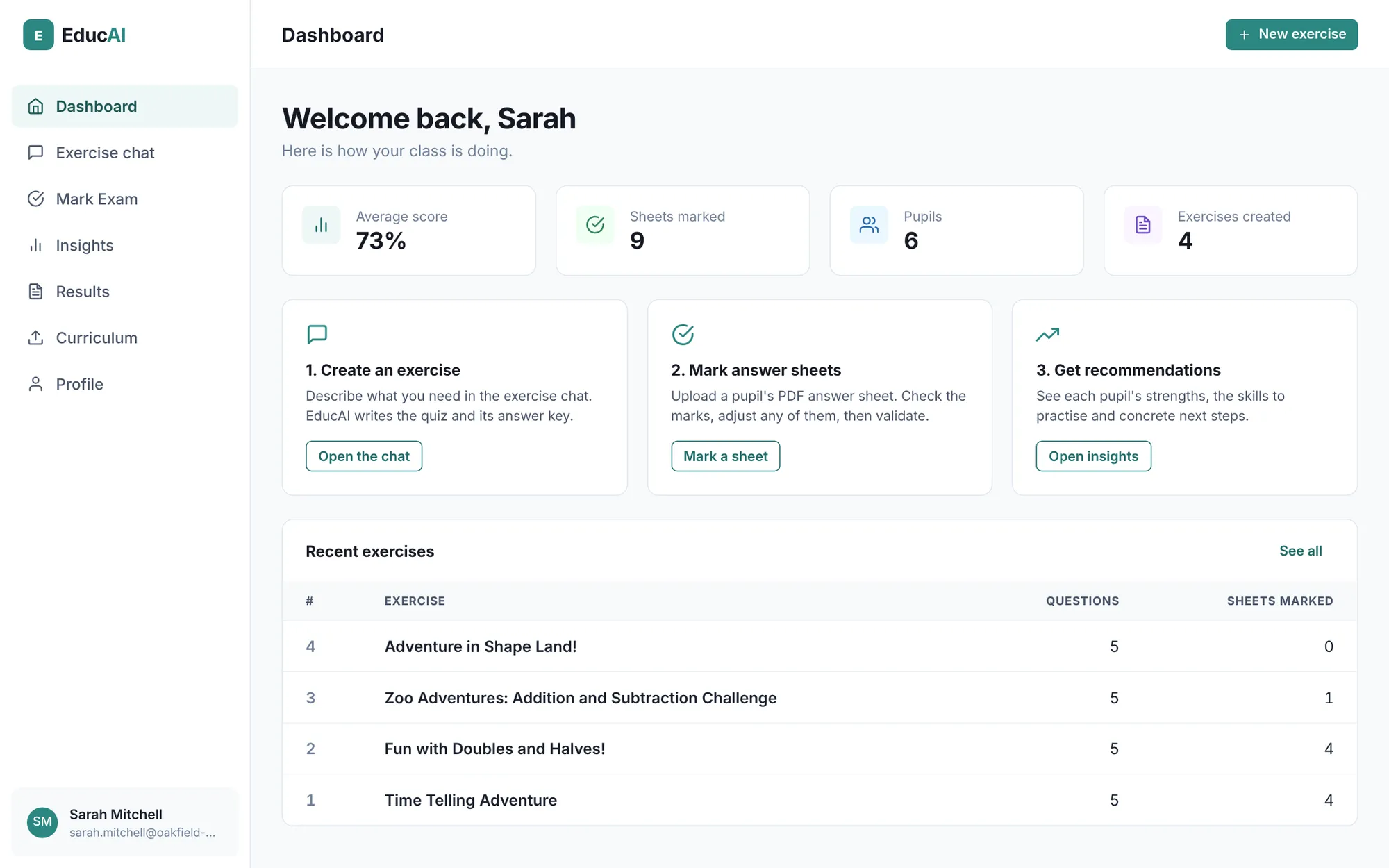
- For each pupil it then writes recommendations from their validated results only: strengths, areas to improve, next steps and resources. A dashboard tracks the class.
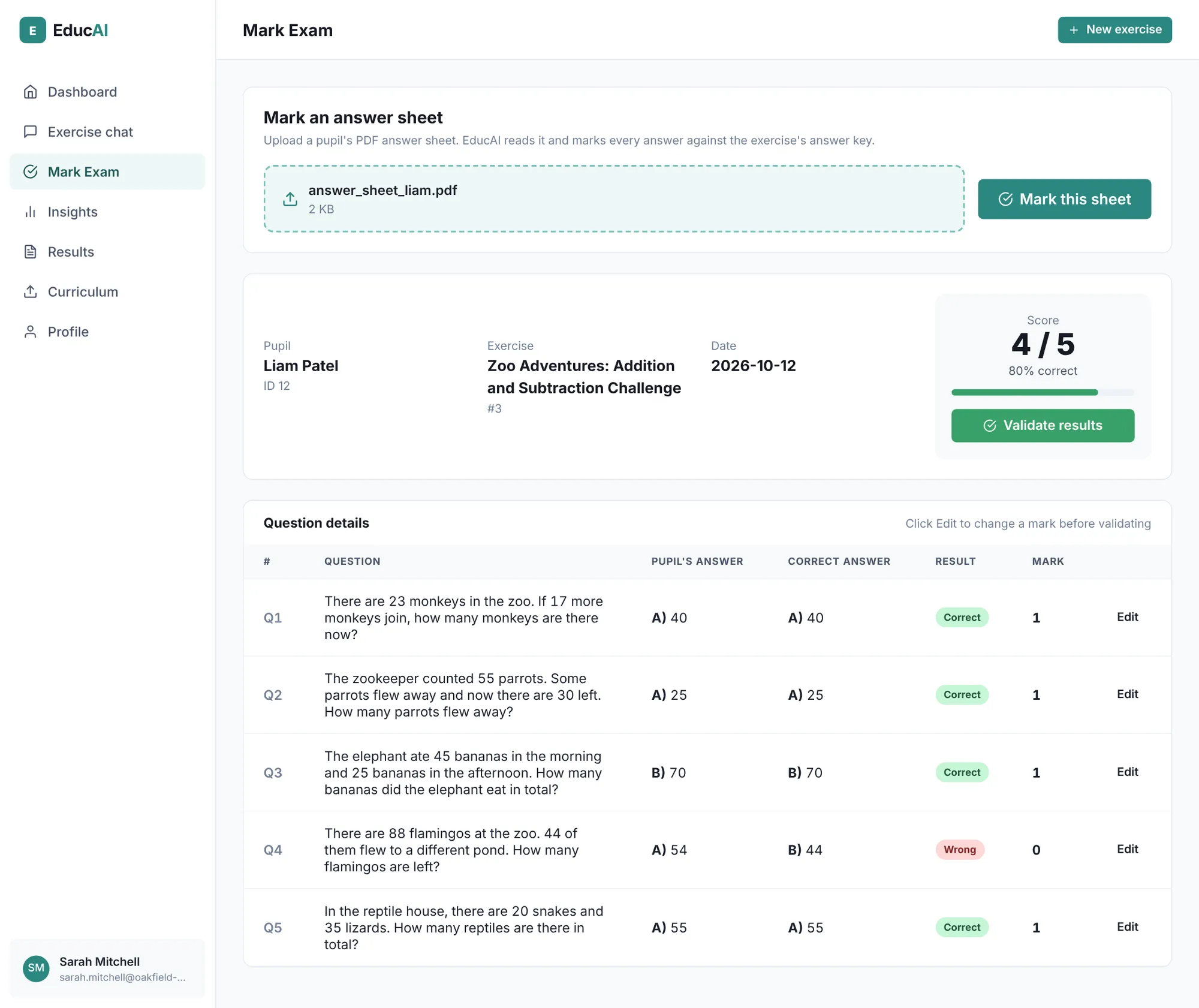
The result
A working app with the whole loop in one place: curriculum in, exercises out, exams marked, per-pupil advice. Every quiz is multiple choice, with four options per question. Quizzes can cover five areas of the curriculum (numbers, calculation, measurement, geometry and logic) at three primary levels (grades 1 to 3).
It was first written in French for French primary teachers and has since been translated into English. It was not measured against hand marking, so we make no claim about time saved.
How a business would use it
The same pattern works on any company’s documents: read a PDF, pull out the fields, check them against rules, score or flag them, and draft a summary that a person approves.
- Invoices and purchase orders checked against contracts
- Insurance claims and application forms
- Compliance checklists and audits
- Training quizzes and assessment marking